Course description

What will i learn?

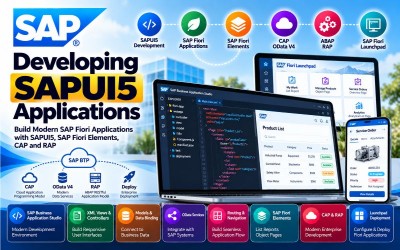
  • Understand SAP Fiori architecture.
  • Build SAPUI5 applications.
  • Develop responsive SAP Fiori applications.
  • Create XML Views and Controllers.
  • Implement Models and Data Binding.
  • Consume OData services.
  • Configure Routing and Navigation.
  • Develop SAP Fiori Elements applications.
  • Build RAP-based SAP Fiori applications.
  • Deploy enterprise SAPUI5 applications.

Requirements

  • Basic JavaScript knowledge
  • HTML and CSS fundamentals
  • Basic SAP knowledge
  • Understanding of web application development
  • Familiarity with REST APIs is beneficial
  • Computer or Laptop
  • Stable Internet Connection
  • Modern Web Browser
  • SAP Business Application Studio or SAP BTP Trial Account (Recommended)

Frequently asked question

Yes. The course starts with SAP Fiori and SAPUI5 fundamentals before progressing to advanced SAPUI5 development, SAP Fiori Elements, RAP, and enterprise application deployment.

No. Basic JavaScript and web development knowledge is helpful, but the course introduces SAPUI5 from the fundamentals.

Yes. The course covers SAP Business Application Studio as the primary development environment for building SAPUI5 and SAP Fiori applications.

Yes. You will learn XML Views, Controllers, Components, Models, Data Binding, Localization, OData Models, Routing, and Navigation.

Yes. The course covers SAP Fiori Elements, List Reports, Object Pages, Analytical List Pages, OData V4 services, and flexible programming models.

Yes. You will learn to build SAP Fiori Elements applications using CAP OData V4 services and the ABAP RESTful Application Programming Model (RAP).

Yes. The course includes SAP Fiori Launchpad implementation, configuration, SAPUI5 Flexibility, and SAP Fiori Design Guidelines.

You will gain hands-on experience developing SAPUI5 applications, creating SAP Fiori Elements apps, consuming OData services, implementing routing and navigation, configuring SAP Fiori Launchpad, deploying enterprise applications, and extending SAP solutions using SAP Business Technology Platform (BTP).

  • Lesson 01 00:00:00
    Module 1 Overview

    SAP Fiori is SAP's modern user experience (UX) design system that provides intuitive, responsive, role-based applications across desktop, tablet, and mobile devices. Understanding SAP Fiori architecture, content management, administration, and adaptation is essential before developing SAPUI5 applications.

    This module introduces SAP Fiori architecture, technology, content management, migration, administration, and application adaptation. Learners will understand how SAP Fiori delivers a consistent enterprise user experience while supporting modern SAP application development.

    By the end of this module, learners will understand SAP Fiori architecture, design principles, deployment, administration, and customization.

    According to the SAP Learning Journey, this module covers SAP Fiori applications, architecture, configuration, content management, migration, administration, and adaptation.

    What You Will Learn

    • Understand SAP Fiori.
    • Explain SAP Fiori architecture.
    • Configure SAP Fiori.
    • Manage SAP Fiori content.
    • Perform content migration.
    • Administer SAP Fiori.
    • Adapt SAP Fiori applications.
    • Support enterprise SAP Fiori environments.

    Units in This Module

    • Unit 1.1: Understanding SAP Fiori from an End-User Perspective
    • Unit 1.2: Understanding SAP Fiori Technology
    • Unit 1.3: Understanding SAP Fiori Architecture
    • Unit 1.4: Managing SAP Fiori Content
    • Unit 1.5: Performing SAP Fiori Content Migration
    • Unit 1.6: Administering SAP Fiori Content
    • Unit 1.7: Adapting SAP Fiori Applications
  • Lesson 02 00:00:00
    1.1 Understanding SAP Fiori from an End-User Perspective

    SAP Fiori provides users with a simple, responsive, and role-based experience that enables them to perform business tasks efficiently across multiple devices. Understanding the end-user experience helps developers design intuitive enterprise applications that improve productivity and user satisfaction.

    Participants will learn the principles, design philosophy, and business value of SAP Fiori from the perspective of business users.

    Key Topics

    • SAP Fiori
    • User Experience (UX)
    • Role-Based Applications
    • Responsive Design
    • Enterprise Mobility
    • Business Productivity
    • SAP UX Strategy
    • Digital Workplace
  • Lesson 03 00:00:00
    1.2 Understanding SAP Fiori Technology

    SAP Fiori technology consists of SAPUI5, SAP Gateway, OData services, SAP Business Technology Platform, SAP Fiori Launchpad, and modern web technologies that work together to deliver enterprise applications.

    Key Topics

    • SAPUI5
    • SAP Gateway
    • OData Services
    • SAP Business Technology Platform
    • Web Technologies
    • SAP Fiori Technology Stack
    • Enterprise Applications
    • SAP Development Platform
  • Lesson 04 00:00:00
    1.3 Understanding SAP Fiori Architecture

    SAP Fiori Architecture defines how frontend components, backend services, SAP Gateway, SAPUI5 libraries, OData services, and enterprise systems interact to provide scalable, secure, and responsive applications.

    Key Topics

    • SAP Fiori Architecture
    • Frontend Server
    • Backend Integration
    • SAP Gateway
    • OData Services
    • SAPUI5 Framework
    • Enterprise Architecture
    • System Landscape
  • Lesson 05 00:00:00
    1.4 Managing SAP Fiori Content

    SAP Fiori Content Management enables administrators to organize, publish, manage, and maintain SAP Fiori applications, business catalogs, spaces, pages, groups, and business roles for enterprise users.

    Key Topics

    • Content Management
    • Business Catalogs
    • Business Roles
    • Spaces and Pages
    • SAP Fiori Apps
    • Content Organization
    • Role Assignment
    • Enterprise Administration
  • Lesson 06 00:00:00
    1.5 Performing SAP Fiori Content Migration

    Content Migration enables organizations to transfer SAP Fiori content between environments while maintaining application consistency, business roles, catalogs, and system configurations throughout enterprise landscapes.

    Key Topics

    • Content Migration
    • Transport Management
    • Business Catalogs
    • Role Migration
    • System Landscape
    • Enterprise Deployment
    • Migration Planning
    • Configuration Management
  • Lesson 07 00:00:00
    1.6 Administering SAP Fiori Content

    SAP Fiori Content Administration focuses on managing application catalogs, user roles, authorizations, launchpad content, and lifecycle management to ensure secure and efficient enterprise application delivery.

    Key Topics

    • Content Administration
    • Launchpad Management
    • User Roles
    • Authorization Management
    • Catalog Administration
    • Enterprise Security
    • Lifecycle Management
    • SAP Administration
  • Lesson 08 00:00:00
    1.7 Adapting SAP Fiori Applications

    Application Adaptation enables organizations to customize SAP Fiori applications without modifying standard SAP code. Developers can adapt user interfaces, business logic, layouts, and extensions while maintaining upgrade compatibility.

    Key Topics

    • SAP Fiori Adaptation
    • UI Customization
    • Application Extensions
    • Adaptation Projects
    • SAPUI5 Flexibility
    • Upgrade Compatibility
    • User Interface Enhancement
    • Enterprise Customization

  • Lesson 01 00:00:00
    Module 2 Overview

    SAPUI5 is SAP's JavaScript framework for building responsive, enterprise-grade web applications. It provides reusable controls, MVC architecture, XML Views, Controllers, Components, Models, Data Binding, Routing, Navigation, and localization features that simplify enterprise application development.

    This module introduces SAPUI5 application development using SAP Business Application Studio, XML Views, Controllers, Components, Models, OData services, Routing, Navigation, and responsive UI design.

    By the end of this module, learners will be able to develop complete SAPUI5 applications using SAP development best practices.

    According to the SAP Learning Journey, this module covers SAPUI5 architecture, SAP Business Application Studio, XML Views, Controllers, Components, Data Binding, OData, Routing, and Navigation.

    What You Will Learn

    • Understand SAPUI5 architecture.
    • Configure SAP Business Application Studio.
    • Load and initialize SAPUI5.
    • Develop XML Views.
    • Build Controllers and Components.
    • Implement Models and Data Binding.
    • Consume OData services.
    • Configure Routing and Navigation.
    • Build responsive SAPUI5 applications.

    Units in This Module

    • Unit 2.1: Loading and Initializing SAPUI5
    • Unit 2.2: Setting Up SAP Business Application Studio
    • Unit 2.3: Developing XML Views
    • Unit 2.4: Building Controllers
    • Unit 2.5: Creating Components
    • Unit 2.6: Working with Models and Data Binding
    • Unit 2.7: Implementing Localization
    • Unit 2.8: Consuming OData Services
    • Unit 2.9: Configuring Routing and Navigation
  • Lesson 02 00:00:00
    2.1 Loading and Initializing SAPUI5

    This unit introduces the SAPUI5 framework initialization process, application bootstrapping, library loading, configuration options, and project setup required to build enterprise SAPUI5 applications.

    Key Topics

    • SAPUI5 Initialization
    • Bootstrap Process
    • UI5 Libraries
    • Application Startup
    • Framework Configuration
    • SAPUI5 Runtime
    • Development Environment
    • Project Structure
  • Lesson 03 00:00:00
    2.2 Setting Up SAP Business Application Studio

    SAP Business Application Studio (SAP BAS) is the recommended cloud-based integrated development environment (IDE) for building SAPUI5, SAP Fiori, SAP BTP, CAP, and full-stack SAP applications. It provides development tools, project templates, debugging capabilities, integrated Git support, and deployment tools that accelerate enterprise application development.

    Participants will learn how to configure SAP Business Application Studio and create SAPUI5 development projects.

    Key Topics

    • SAP Business Application Studio
    • Development Spaces
    • Project Templates
    • SAP Fiori Tools
    • Development Environment
    • Git Integration
    • SAP BTP
    • Application Deployment
  • Lesson 04 00:00:00
    2.3 Developing XML Views

    XML Views define the presentation layer of SAPUI5 applications using declarative XML syntax. Developers use XML Views to build responsive user interfaces while separating presentation from business logic using the MVC architecture.

    Key Topics

    • XML Views
    • UI Controls
    • Layout Management
    • Responsive Design
    • MVC Architecture
    • User Interface
    • View Development
    • SAPUI5 Controls
  • Lesson 05 00:00:00
    2.4 Building Controllers

    Controllers contain the business logic of SAPUI5 applications. They handle user interactions, process events, communicate with models, and manage application behavior while maintaining a clean separation between the presentation and business logic layers.

    Key Topics

    • Controllers
    • Event Handling
    • Business Logic
    • MVC Pattern
    • JavaScript
    • User Interaction
    • Application Logic
    • SAPUI5 Framework
  • Lesson 06 00:00:00
    2.5 Creating Components

    Components provide the entry point for SAPUI5 applications by managing application initialization, routing configuration, models, and application metadata. Proper component configuration improves application scalability and maintainability.

    Key Topics

    • Components
    • Component.js
    • Application Initialization
    • Manifest Configuration
    • Metadata
    • Application Structure
    • UI5 Components
    • Enterprise Development
  • Lesson 07 00:00:00
    2.6 Working with Models and Data Binding

    Models and Data Binding enable SAPUI5 applications to connect user interfaces with business data. Developers learn to use JSON Models, OData Models, Resource Models, and advanced data binding techniques to build dynamic enterprise applications.

    Key Topics

    • Models
    • JSON Model
    • OData Model
    • Resource Model
    • Data Binding
    • Two-Way Binding
    • Model Management
    • Dynamic UI
  • Lesson 08 00:00:00
    2.7 Implementing Localization

    Localization enables SAPUI5 applications to support multiple languages, regional formats, currencies, and localization standards. Resource bundles simplify translation management while improving the global user experience.

    Key Topics

    • Localization
    • Internationalization (i18n)
    • Resource Bundles
    • Language Support
    • Regional Settings
    • Currency Formatting
    • Date Formatting
    • Multi-language Applications
  • Lesson 09 00:00:00
    2.8 Consuming OData Services

    OData Services provide standardized communication between SAPUI5 applications and SAP backend systems. Developers learn to consume OData services for creating, reading, updating, and deleting enterprise business data.

    Key Topics

    • OData Services
    • CRUD Operations
    • SAP Gateway
    • Data Consumption
    • RESTful Services
    • Backend Integration
    • Enterprise Data
    • API Communication
  • Lesson 10 00:00:00
    2.9 Configuring Routing and Navigation

    Routing and Navigation enable users to move seamlessly between different views and pages within SAPUI5 applications. Proper routing configuration improves usability, application organization, and overall user experience.

    Key Topics

    • Routing
    • Navigation
    • Route Configuration
    • Navigation Targets
    • URL Routing
    • View Management
    • Application Flow
    • SAPUI5 Router

  • Lesson 01 00:00:00
    Module 3 Overview

    SAP Fiori Elements accelerates enterprise application development by generating SAP Fiori applications from OData services and metadata annotations. Developers can rapidly build List Reports, Object Pages, Analytical List Pages, and Overview Pages while following SAP Fiori design standards.

    This module introduces SAP Fiori Elements, flexible programming models, CAP OData V4, ABAP RAP, SAP Fiori Launchpad, SAPUI5 Flexibility, and enterprise application deployment.

    By the end of this module, learners will be able to develop enterprise SAP Fiori Elements applications using modern SAP development technologies.

    According to the SAP Learning Journey, this module covers SAP Fiori Elements, flexible programming model, CAP OData V4, ABAP RAP, SAP Fiori Launchpad, SAPUI5 Flexibility, and SAP Fiori design guidelines.

    What You Will Learn

    • Develop SAP Fiori Elements applications.
    • Build List Reports and Object Pages.
    • Configure Flexible Programming Model.
    • Develop CAP OData V4 applications.
    • Build RAP-based SAP Fiori applications.
    • Configure SAP Fiori Launchpad.
    • Implement SAPUI5 Flexibility.
    • Apply SAP Fiori Design Guidelines.
    • Deploy enterprise SAPUI5 applications.

    Units in This Module

    • Unit 3.1: Introducing SAP Fiori Elements
    • Unit 3.2: Creating List Reports
    • Unit 3.3: Building Object Pages
    • Unit 3.4: Implementing the Flexible Programming Model
    • Unit 3.5: Developing Applications with CAP OData V4
    • Unit 3.6: Developing SAP Fiori Applications with ABAP RAP
    • Unit 3.7: Configuring SAP Fiori Launchpad
    • Unit 3.8: Implementing SAPUI5 Flexibility
    • Unit 3.9: Applying SAP Fiori Design Guidelines
  • Lesson 02 00:00:00
    3.1 Introducing SAP Fiori Elements

    SAP Fiori Elements is a metadata-driven development framework that enables developers to rapidly build enterprise SAP Fiori applications using predefined templates and OData services. By leveraging annotations and standardized floorplans, developers can significantly reduce development effort while maintaining a consistent user experience aligned with SAP Fiori design principles.

    Participants will learn the architecture, benefits, and capabilities of SAP Fiori Elements and understand how it accelerates enterprise application development.

    Key Topics

    • SAP Fiori Elements
    • Metadata-Driven Development
    • OData Services
    • SAP Fiori Templates
    • SAPUI5 Framework
    • Enterprise Applications
    • Rapid Development
    • SAP Fiori Architecture
  • Lesson 03 00:00:00
    3.2 Creating List Reports

    List Reports provide a standardized user interface for displaying, filtering, sorting, searching, grouping, and managing large collections of business data. Developers will learn how to generate List Report applications using SAP Fiori Elements and OData annotations.

    Key Topics

    • List Reports
    • OData Annotations
    • Data Tables
    • Filtering
    • Sorting
    • Search Functions
    • Business Lists
    • SAP Fiori Elements
  • Lesson 04 00:00:00
    3.3 Building Object Pages

    Object Pages provide detailed views of individual business objects by organizing information into logical sections, facets, and related data. Developers learn to configure Object Pages that deliver comprehensive business information while maintaining an intuitive user experience.

    Key Topics

    • Object Pages
    • Business Objects
    • Object Details
    • Page Layouts
    • Facets
    • Header Information
    • Related Data
    • SAP Fiori UI
  • Lesson 05 00:00:00
    3.4 Implementing the Flexible Programming Model

    The Flexible Programming Model allows developers to extend SAP Fiori Elements applications with custom business logic, UI enhancements, reusable components, and application extensions while preserving standard functionality and upgrade compatibility.

    Key Topics

    • Flexible Programming Model
    • Application Extensions
    • Custom Logic
    • SAPUI5 Extensions
    • Reusable Components
    • Event Handling
    • Business Logic
    • Enterprise Development
  • Lesson 06 00:00:00
    3.5 Developing Applications with CAP OData V4

    The SAP Cloud Application Programming Model (CAP) enables developers to build cloud-native enterprise applications using OData V4 services, domain models, and service definitions. CAP simplifies application development while supporting scalable and maintainable SAP Business Technology Platform solutions.

    Key Topics

    • SAP CAP
    • OData V4
    • Domain Models
    • Service Definitions
    • Cloud Applications
    • SAP BTP
    • Enterprise APIs
    • CAP Development
  • Lesson 07 00:00:00
    3.6 Developing SAP Fiori Applications with ABAP RAP

    The ABAP RESTful Application Programming Model (RAP) enables developers to build transactional SAP Fiori applications using modern ABAP development techniques, business objects, behavior definitions, CDS views, and OData services.

    Participants will learn how RAP simplifies enterprise application development while supporting Clean Core principles.

    Key Topics

    • ABAP RAP
    • CDS Views
    • Behavior Definitions
    • Business Objects
    • OData Services
    • Transactional Applications
    • ABAP Development
    • SAP Fiori Applications
  • Lesson 08 00:00:00
    3.7 Configuring SAP Fiori Launchpad

    SAP Fiori Launchpad provides a centralized entry point for SAP applications by organizing apps into catalogs, spaces, pages, and business roles. Developers and administrators configure Launchpad content to deliver a personalized and role-based user experience.

    Key Topics

    • SAP Fiori Launchpad
    • Business Catalogs
    • Business Roles
    • Spaces
    • Pages
    • Launchpad Configuration
    • Navigation
    • Enterprise Access
  • Lesson 09 00:00:00
    3.8 Implementing SAPUI5 Flexibility

    SAPUI5 Flexibility enables organizations to personalize, adapt, and extend SAPUI5 applications without modifying the underlying application code. Flexibility services support key user adaptations, developer extensions, and lifecycle management.

    Key Topics

    • SAPUI5 Flexibility
    • Application Adaptation
    • Key User Extensibility
    • Personalization
    • UI Adaptation
    • Lifecycle Management
    • Enterprise Customization
    • Upgrade Compatibility
  • Lesson 10 00:00:00
    3.9 Applying SAP Fiori Design Guidelines

    SAP Fiori Design Guidelines provide best practices for creating consistent, intuitive, and user-friendly enterprise applications. Developers learn how to apply SAP's design principles to deliver responsive, accessible, and efficient user experiences.

    Key Topics

    • SAP Fiori Design
    • UX Guidelines
    • Responsive Design
    • Accessibility
    • User Experience
    • Design Standards
    • Enterprise UI
    • SAP Design System

  • Lesson 01 00:00:00
    Practical Exercises

    Throughout this course, learners will complete hands-on exercises that simulate real-world SAPUI5 and SAP Fiori application development scenarios.

    Participants will perform the following activities:

    • Configure SAP Business Application Studio
    • Create SAPUI5 Projects
    • Build XML Views
    • Develop Controllers
    • Configure Components
    • Implement Models and Data Binding
    • Consume OData Services
    • Configure Routing and Navigation
    • Build Responsive SAPUI5 Applications
    • Create SAP Fiori Elements Applications
    • Develop List Reports
    • Build Object Pages
    • Configure Flexible Programming Model
    • Develop CAP OData V4 Applications
    • Build ABAP RAP Applications
    • Configure SAP Fiori Launchpad
    • Implement SAPUI5 Flexibility
    • Apply SAP Fiori Design Guidelines
    • Deploy SAPUI5 Applications
    • Test Enterprise SAP Applications
  • Lesson 02 00:00:00
    Enterprise Implementation Project

    Developing an Enterprise SAPUI5 Application

    This capstone project provides learners with the opportunity to build a complete enterprise-grade SAPUI5 application using SAP Business Application Studio, SAP Fiori, SAP Fiori Elements, SAP BTP, CAP OData V4, and ABAP RAP while following SAP development best practices.

    Participants will design responsive user interfaces, consume enterprise OData services, configure SAP Fiori Launchpad, implement routing and navigation, develop reusable components, build metadata-driven applications, and deploy enterprise SAPUI5 applications integrated with SAP S/4HANA.

    The implementation project follows the development lifecycle and learning path covered throughout the SAP Learning Journey.

    Business Scenario

    A multinational manufacturing company wants to modernize its legacy SAP GUI applications by developing responsive SAP Fiori applications for employees, managers, warehouse staff, procurement teams, sales representatives, and executives.

    The organization plans to use SAPUI5, SAP Fiori Elements, SAP Business Technology Platform (BTP), CAP OData V4, and ABAP RAP to create modern, role-based enterprise applications that integrate with SAP S/4HANA.

    The primary business objectives are to:

    • Modernize enterprise applications.
    • Improve user experience across devices.
    • Develop responsive SAP Fiori applications.
    • Reduce application development time.
    • Standardize enterprise user interfaces.
    • Enable metadata-driven development.
    • Improve application maintainability.
    • Integrate seamlessly with SAP S/4HANA.
    • Support cloud-ready enterprise applications.
    • Follow SAP Fiori design guidelines and Clean Core principles.

    As the SAPUI5 Developer, you are responsible for designing, developing, testing, and deploying enterprise SAPUI5 applications using SAP's latest frontend development technologies.

    Project Deliverables

    Phase 1 – SAPUI5 Development Environment

    Configure:

    • SAP Business Application Studio
    • Development Space
    • SAPUI5 Project
    • Git Repository
    • SAP Fiori Tools
    • Project Structure
    • Application Configuration
    • Development Environment

    Phase 2 – User Interface Development

    Develop:

    • XML Views
    • Controllers
    • Components
    • Responsive Layouts
    • SAPUI5 Controls
    • Forms
    • Tables
    • Dialogs

    Phase 3 – Data Integration

    Implement:

    • JSON Models
    • OData Models
    • Resource Models
    • Data Binding
    • CRUD Operations
    • Backend Connectivity
    • SAP Gateway Integration
    • OData Services

    Phase 4 – Application Navigation

    Configure:

    • Routing
    • Navigation
    • Multiple Views
    • Application Flow
    • Navigation Targets
    • URL Routing
    • Dynamic Navigation
    • Master-Detail Navigation

    Phase 5 – SAP Fiori Elements Development

    Build:

    • List Reports
    • Object Pages
    • Metadata Annotations
    • Flexible Programming Model
    • Extension Points
    • Application Templates
    • Smart Controls
    • Enterprise UI

    Phase 6 – Advanced Development

    Implement:

    • CAP OData V4 Services
    • ABAP RAP Integration
    • SAPUI5 Flexibility
    • Localization
    • Application Personalization
    • Custom Extensions
    • Enterprise Security
    • Performance Optimization

    Phase 7 – SAP Fiori Launchpad Deployment

    Complete:

    • Launchpad Configuration
    • Business Catalogs
    • Business Roles
    • Spaces and Pages
    • Application Deployment
    • User Authorization
    • Testing
    • Production Deployment

    Expected Project Outcome

    Upon successful completion of this implementation project, learners will be able to:

    • Develop enterprise SAPUI5 applications.
    • Build SAP Fiori applications.
    • Configure SAP Business Application Studio.
    • Create XML Views and Controllers.
    • Implement Models and Data Binding.
    • Consume OData services.
    • Configure Routing and Navigation.
    • Develop SAP Fiori Elements applications.
    • Build CAP and RAP applications.
    • Deploy SAPUI5 applications using SAP Fiori Launchpad.

Jittesh Purrohit

Lectures

30

Skill level

Intermediate

Expiry period

Lifetime

Related courses