Course description

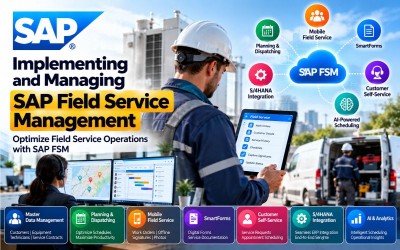
Implementing and Managing SAP Field Service Management is a comprehensive enterprise training program designed for SAP Field Service Management (FSM) consultants, SAP S/4HANA consultants, implementation partners, service managers, dispatchers, field technicians, mobile application specialists, customer service professionals, and ERP consultants who want to implement, configure, and manage SAP Field Service Management solutions.

This course provides practical knowledge of SAP Field Service Management (FSM), including account administration, company configuration, mobile field service, planning and dispatching, business rules, automated scheduling, customer self-service, crowd service, SmartForms, artificial intelligence integration, SAP S/4HANA integration, reporting, analytics, and RISE with SAP methodology. Learners will gain hands-on experience implementing SAP Field Service Management while following SAP best practices.

Following SAP's official Learning Journey, the course progresses from SAP FSM implementation and configuration through mobile applications, planning and dispatching, SmartForms, integrations, artificial intelligence, operational management, and RISE with SAP methodology.

Efficient field service operations are essential for delivering exceptional customer experiences, maximizing workforce productivity, reducing operational costs, and improving service quality. SAP Field Service Management (FSM) enables organizations to digitally manage field service operations through intelligent scheduling, mobile workforce management, service execution, customer engagement, and real-time analytics.

This course introduces the complete implementation lifecycle of SAP Field Service Management, including account administration, configuration, master data management, planning and dispatching, mobile field service, SmartForms, artificial intelligence, reporting, integrations, customer self-service, and enterprise implementation.

Throughout the course, learners will gain practical implementation experience while following real-world field service scenarios across manufacturing, utilities, telecommunications, healthcare, energy, construction, logistics, consumer services, and industrial enterprises.

By the end of this course, participants will possess the knowledge required to implement, configure, customize, optimize, and support SAP Field Service Management solutions integrated with SAP S/4HANA.

Who Should Attend

  • SAP Field Service Management Consultants
  • SAP S/4HANA Consultants
  • SAP Functional Consultants
  • Service Managers
  • Field Service Managers
  • Dispatchers
  • Field Technicians
  • Mobile Application Specialists
  • Customer Service Managers
  • ERP Consultants
  • SAP Solution Architects
  • SAP Implementation Partners
  • Business Analysts
  • Digital Transformation Professionals
  • Technical Support Consultants

Skills You Will Gain

  • SAP Field Service Management (FSM)
  • Field Service Operations
  • Mobile Field Service
  • Planning and Dispatching
  • Workforce Scheduling
  • SmartForms
  • Account Administration
  • Company Configuration
  • Business Rules
  • Customer Self-Service
  • Crowd Service
  • SAP S/4HANA Integration
  • Artificial Intelligence Integration
  • Reporting and Analytics
  • RISE with SAP Methodology
  • Clean Core Principles

Career Opportunities

  • SAP Field Service Management Consultant
  • SAP FSM Functional Consultant
  • SAP S/4HANA Service Consultant
  • Service Delivery Consultant
  • Field Service Manager
  • Dispatch Manager
  • Mobile Workforce Consultant
  • SAP Implementation Consultant
  • SAP Solution Architect
  • Customer Service Consultant
  • Technical Service Manager
  • ERP Functional Consultant
  • SAP Digital Transformation Consultant
  • Service Operations Manager
  • Enterprise Mobility Consultant

These roles are highly valued across manufacturing, utilities, energy, telecommunications, healthcare, automotive, retail, logistics, construction, public sector, and industrial organizations implementing SAP Field Service Management.

Certification Preparation

This course is designed to support learners preparing for SAP Field Service Management and SAP S/4HANA Service certifications by covering the concepts included in SAP's official Learning Journey.

Participants will gain practical knowledge in:

  • SAP Field Service Management
  • Account Administration
  • Company Configuration
  • Mobile Field Service
  • Planning and Dispatching
  • SmartForms
  • Business Rules
  • Automated Scheduling
  • SAP S/4HANA Integration
  • Artificial Intelligence
  • Reporting and Analytics
  • RISE with SAP Methodology

The course combines conceptual learning with practical implementation scenarios to prepare learners for enterprise SAP Field Service Management projects and certification success.

What will i learn?

  • Understand SAP Field Service Management.
  • Configure SAP FSM environments.
  • Manage enterprise master data.
  • Configure planning and dispatching.
  • Implement mobile field service.
  • Design SmartForms.
  • Configure automated scheduling.
  • Integrate SAP FSM with SAP S/4HANA.
  • Implement AI-powered field service.
  • Support enterprise field service operations.

Requirements

  • Basic SAP knowledge
  • Understanding of customer service processes
  • Familiarity with ERP business operations
  • Basic knowledge of field service management
  • Interest in enterprise service operations
  • Computer or Laptop
  • Stable Internet Connection
  • Modern Web Browser
  • SAP Field Service Management Practice or Trial Environment (Recommended)

Frequently asked question

Yes. The course begins with SAP Field Service Management fundamentals before progressing to implementation, configuration, mobile applications, scheduling, integrations, AI, and enterprise deployment.

No. Basic SAP knowledge is beneficial, but the course introduces SAP Field Service Management from the fundamentals.

Yes. The course covers the complete functionality of both SAP Field Service Management web and mobile applications, including administration, planning, dispatching, and technician workflows.

Yes. You will learn planning, dispatching, workforce scheduling, optimization, and field service coordination using SAP Field Service Management.

Yes. The course explains SmartForms, mobile applications, field technician workflows, digital service execution, and mobile productivity tools.

Yes. You will learn SAP S/4HANA integration, enterprise integrations, Artificial Intelligence capabilities, and intelligent field service management.

Yes. The course includes RISE with SAP Methodology, Clean Core principles, SAP Activate support, implementation dashboards, and customer success methodologies.

You will gain practical implementation experience in configuring SAP Field Service Management, managing mobile service operations, planning and dispatching field resources, designing SmartForms, integrating SAP FSM with SAP S/4HANA, implementing AI-powered service capabilities, and supporting enterprise field service operations.

  • Lesson 01 00:00:00
    Module 1 Overview

    SAP Field Service Management (FSM) enables organizations to efficiently manage field service operations through intelligent scheduling, mobile workforce management, service execution, customer engagement, and real-time operational visibility. Successful implementation requires configuring enterprise settings, user administration, company structures, mobile applications, business rules, scheduling, integrations, and service workflows.

    This module introduces the implementation of SAP Field Service Management, including account administration, company configuration, mobile applications, analytics, scheduling, customer self-service, crowd service, artificial intelligence, and SAP integrations.

    By the end of this module, learners will be able to configure and implement SAP Field Service Management for enterprise service organizations.

    According to the SAP Learning Journey, this module covers account administration, company configuration, mobile field service, reporting, business rules, scheduling, customer self-service, integrations, and AI capabilities.

    What You Will Learn

    • Configure SAP FSM accounts.
    • Manage enterprise company settings.
    • Configure mobile field service.
    • Generate operational reports.
    • Configure business rules.
    • Implement scheduling strategies.
    • Enable customer self-service.
    • Integrate SAP FSM with enterprise systems.
    • Implement AI-powered service capabilities.

    Units in This Module

    • Unit 1.1: Exploring Account Administration
    • Unit 1.2: Optimizing Company Configuration
    • Unit 1.3: Navigating Mobile Field Service
    • Unit 1.4: Analyzing Data and Generating Reports
    • Unit 1.5: Developing Effective Business Rules
    • Unit 1.6: Navigating Automated and Assisted Scheduling Techniques
    • Unit 1.7: Exploring the Potential of Crowd Service
    • Unit 1.8: Leveraging Customer Self-Service
    • Unit 1.9: Implementing Integration
    • Unit 1.10: Integrating Artificial Intelligence
  • Lesson 02 00:00:00
    1.1 Exploring Account Administration

    Account Administration is the foundation of SAP Field Service Management. It enables administrators to configure tenant settings, user accounts, permissions, organizational structures, authentication, and security policies required for enterprise service operations.

    Participants will learn how to establish and manage the administrative environment for SAP FSM.

    Key Topics

    • Account Administration
    • Tenant Configuration
    • User Management
    • Security Settings
    • Authentication
    • User Roles
    • Access Management
    • Enterprise Administration
  • Lesson 03 00:00:00
    1.2 Optimizing Company Configuration

    Company Configuration allows organizations to define operational settings, organizational structures, service territories, business units, service teams, and regional configurations that support efficient field service operations.

    Key Topics

    • Company Configuration
    • Organizational Structure
    • Service Territories
    • Business Units
    • Regional Settings
    • Service Teams
    • Enterprise Configuration
    • Operational Management
  • Lesson 04 00:00:00
    1.3 Navigating Mobile Field Service

    SAP FSM Mobile enables field technicians to receive work orders, update job status, capture customer signatures, upload images, manage inventory, and complete service activities directly from mobile devices while working offline or online.

    Key Topics

    • Mobile Field Service
    • Technician Mobile App
    • Work Orders
    • Offline Capability
    • Mobile Synchronization
    • Digital Signatures
    • Service Execution
    • Mobile Productivity
  • Lesson 05 00:00:00
    1.4 Analyzing Data and Generating Reports

    SAP FSM provides operational dashboards and reporting tools that help organizations monitor service performance, technician productivity, response times, SLA compliance, and business performance through real-time analytics.

    Key Topics

    • Reporting
    • Operational Dashboards
    • Service Analytics
    • KPI Monitoring
    • Technician Performance
    • SLA Reporting
    • Business Intelligence
    • Operational Insights
  • Lesson 06 00:00:00
    1.5 Developing Effective Business Rules

    Business Rules automate field service operations by defining conditions, validations, approvals, assignments, and workflow actions that improve service quality and operational efficiency.

    Key Topics

    • Business Rules
    • Workflow Automation
    • Rule Engine
    • Service Validation
    • Process Automation
    • Assignment Rules
    • Approval Rules
    • Operational Efficiency
  • Lesson 07 00:00:00
    1.6 Navigating Automated and Assisted Scheduling Techniques

    Scheduling capabilities in SAP FSM optimize technician assignments by considering skills, availability, travel time, workload, service priorities, and customer commitments to maximize operational efficiency.

    Key Topics

    • Automated Scheduling
    • Assisted Scheduling
    • Dispatch Optimization
    • Technician Assignment
    • Resource Planning
    • Service Prioritization
    • Route Optimization
    • Workforce Scheduling
  • Lesson 08 00:00:00
    1.7 Exploring the Potential of Crowd Service

    Crowd Service enables organizations to extend their workforce using certified external service providers and contractors, helping improve service coverage, reduce response times, and increase operational flexibility.

    Key Topics

    • Crowd Service
    • External Workforce
    • Contractor Management
    • Service Network
    • Workforce Expansion
    • Service Coverage
    • Resource Optimization
    • Field Operations
  • Lesson 09 00:00:00
    1.8 Leveraging Customer Self-Service

    Customer Self-Service allows customers to create service requests, schedule appointments, monitor service progress, and communicate with service teams through digital self-service portals.

    Key Topics

    • Customer Self-Service
    • Service Requests
    • Appointment Scheduling
    • Customer Portal
    • Digital Services
    • Service Tracking
    • Customer Experience
    • Service Communication
  • Lesson 10 00:00:00
    1.9 Implementing Integration

    SAP Field Service Management integrates with SAP S/4HANA, SAP Service Cloud, ERP systems, CRM platforms, and third-party applications to provide seamless service management and enterprise-wide business process integration.

    Key Topics

    • SAP Integration
    • SAP S/4HANA
    • SAP Service Cloud
    • ERP Integration
    • CRM Integration
    • Enterprise Applications
    • API Integration
    • Business Process Integration
  • Lesson 11 00:00:00
    1.10 Integrating Artificial Intelligence

    Artificial Intelligence enhances field service operations through intelligent scheduling, predictive recommendations, automated service assistance, knowledge retrieval, and improved technician productivity.

    Key Topics

    • Artificial Intelligence
    • Intelligent Scheduling
    • Predictive Recommendations
    • AI Assistance
    • Machine Learning
    • Service Automation
    • Intelligent Dispatching
    • Digital Innovation

  • Lesson 01 00:00:00
    Module 2 Overview

    Managing SAP Field Service Management focuses on the daily operational activities required to efficiently execute field service operations. Business users learn how to manage master data, plan and dispatch service calls, execute field work through mobile applications, design SmartForms, and optimize scheduling to improve service quality and workforce productivity.

    This module introduces the operational capabilities of SAP Field Service Management, enabling dispatchers, service managers, administrators, and field technicians to efficiently manage end-to-end service execution.

    By the end of this module, learners will be able to manage field service operations using SAP Field Service Management integrated with SAP S/4HANA.

    According to the SAP Learning Journey, this module covers SAP Field Service Management functionality, master data management, planning and dispatching, mobile field service, SmartForms, and scheduling optimization.

    What You Will Learn

    • Understand SAP FSM operational workflows.
    • Manage enterprise master data.
    • Configure planning and dispatching.
    • Execute mobile field service.
    • Design and manage SmartForms.
    • Optimize workforce scheduling.
    • Improve technician productivity.
    • Support enterprise service operations.

    Units in This Module

    • Unit 2.1: Discovering SAP Field Service Management
    • Unit 2.2: Implementing Master Data Management
    • Unit 2.3: Optimizing Planning and Dispatching in SAP S/4HANA
    • Unit 2.4: Applying Mobile Field Service
    • Unit 2.5: Designing and Managing SmartForms
    • Unit 2.6: Optimizing Scheduling in SAP Field Service Management
  • Lesson 02 00:00:00
    2.1 Discovering SAP Field Service Management

    This unit introduces the operational functionality of SAP Field Service Management and demonstrates how organizations manage service requests, work orders, dispatching, technicians, customer interactions, and enterprise service delivery through SAP FSM.

    Participants will gain an understanding of the complete service lifecycle and operational workflows.

    Key Topics

    • SAP Field Service Management
    • Service Operations
    • Work Orders
    • Service Lifecycle
    • Enterprise Service
    • Customer Experience
    • Operational Workflows
    • SAP FSM Overview
  • Lesson 03 00:00:00
    2.2 Implementing Master Data Management

    Master Data Management provides the foundation for efficient field service operations by maintaining consistent information about customers, technicians, equipment, service contracts, materials, locations, and organizational structures.

    Proper master data improves scheduling accuracy, reporting, and service execution.

    Key Topics

    • Master Data Management
    • Customer Master
    • Equipment Master
    • Technician Records
    • Service Contracts
    • Material Master
    • Organizational Data
    • Enterprise Data Management
  • Lesson 04 00:00:00
    2.3 Optimizing Planning and Dispatching in SAP S/4HANA

    Planning and Dispatching ensures that service requests are assigned to the most suitable technicians based on skills, availability, workload, travel distance, and service priorities. Intelligent dispatching improves service response times and technician utilization.

    Key Topics

    • Planning
    • Dispatching
    • Workforce Optimization
    • Resource Scheduling
    • Technician Assignment
    • SAP S/4HANA Integration
    • Route Planning
    • Service Coordination
  • Lesson 05 00:00:00
    2.4 Applying Mobile Field Service

    Mobile Field Service enables technicians to access service orders, complete inspections, capture customer signatures, upload photos, record spare parts usage, and synchronize completed work directly from mobile devices.

    Key Topics

    • Mobile Applications
    • Field Technician
    • Mobile Work Orders
    • Offline Synchronization
    • Digital Signatures
    • Image Capture
    • Spare Parts Recording
    • Mobile Productivity
  • Lesson 06 00:00:00
    2.5 Designing and Managing SmartForms

    SmartForms enable organizations to digitize service documents such as inspection forms, maintenance reports, installation checklists, customer acknowledgements, and compliance documentation. Digital forms improve service quality, eliminate paperwork, and standardize field processes.

    Key Topics

    • SmartForms
    • Digital Forms
    • Inspection Checklists
    • Service Reports
    • Customer Signatures
    • Compliance Forms
    • Digital Documentation
    • Field Service Processes
  • Lesson 07 00:00:00
    2.6 Optimizing Scheduling in SAP Field Service Management

    Scheduling Optimization improves workforce utilization by automatically assigning technicians based on skills, certifications, service locations, availability, priorities, travel time, and customer commitments. Intelligent scheduling increases efficiency while reducing operational costs.

    Key Topics

    • Scheduling Optimization
    • Intelligent Scheduling
    • Workforce Planning
    • Technician Availability
    • Skill Matching
    • Route Optimization
    • Service Priorities
    • Resource Utilization

  • Lesson 01 00:00:00
    Module 3 Overview

    RISE with SAP is a business transformation methodology that combines cloud ERP, SAP Business Technology Platform (BTP), SAP Business Network, business process intelligence, and SAP Activate to accelerate enterprise transformation. The methodology promotes Clean Core principles, standardized implementation practices, and continuous innovation.

    This module introduces the RISE with SAP Methodology, Clean Core concepts, implementation principles, SAP Activate tools, customer success strategies, and implementation dashboards.

    By the end of this module, learners will understand how RISE with SAP supports successful SAP Field Service Management implementations and long-term digital transformation.

    According to the SAP Learning Journey, this module covers the RISE with SAP Methodology, Clean Core, implementation principles, SAP Activate, customer success stories, and implementation dashboards.

    What You Will Learn

    • Explain the RISE with SAP Methodology.
    • Understand Clean Core principles.
    • Apply SAP Activate tools.
    • Explain implementation best practices.
    • Understand enterprise transformation.
    • Monitor implementation progress.
    • Support customer success initiatives.
    • Recommend continuous innovation strategies.

    Units in This Module

    • Unit 3.1: Understanding the RISE with SAP Methodology
    • Unit 3.2: Describing Clean Core
    • Unit 3.3: Exploring the Benefits of Clean Core
    • Unit 3.4: Diving Deep into the Different Principles of Clean Core
    • Unit 3.5: Defining the Key Components of the RISE with SAP Methodology
    • Unit 3.6: Exploring the RISE with SAP Methodology Dashboard
  • Lesson 02 00:00:00
    3.1 Understanding the RISE with SAP Methodology

    RISE with SAP provides a structured framework for enterprise transformation by combining SAP cloud solutions, SAP Activate methodology, business process optimization, and implementation best practices to accelerate digital transformation projects.

    Key Topics

    • RISE with SAP
    • Digital Transformation
    • SAP Activate
    • Business Transformation
    • Cloud ERP
    • Enterprise Modernization
    • Implementation Framework
    • SAP Methodology
  • Lesson 03 00:00:00
    3.2 Describing Clean Core

    Clean Core is an implementation principle that encourages organizations to keep SAP standard applications as close to the standard solution as possible while minimizing customizations. By adopting Clean Core practices, organizations can simplify upgrades, improve system stability, accelerate innovation, and reduce long-term maintenance costs.

    Participants will learn how Clean Core supports sustainable SAP Field Service Management implementations and enables continuous business transformation.

    Key Topics

    • Clean Core
    • SAP Standard Processes
    • Extensibility
    • Upgrade Readiness
    • System Stability
    • Cloud Innovation
    • Best Practices
    • Sustainable Architecture
  • Lesson 04 00:00:00
    3.3 Exploring the Benefits of Clean Core

    A Clean Core approach provides numerous business and technical benefits, including simplified upgrades, improved system performance, lower operational costs, reduced implementation risks, and faster adoption of new SAP innovations.

    Organizations following Clean Core principles are better positioned to scale their SAP landscape while maintaining flexibility and governance.

    Key Topics

    • Upgrade Simplicity
    • Innovation Readiness
    • Reduced Customization
    • Lower Maintenance Costs
    • System Performance
    • Business Agility
    • Cloud Readiness
    • Enterprise Governance
  • Lesson 05 00:00:00
    3.4 Diving Deep into the Different Principles of Clean Core

    This unit explores the key principles that support Clean Core implementations, including standardized business processes, side-by-side extensions, in-app extensibility, governance policies, lifecycle management, and continuous optimization.

    Learners will understand how these principles contribute to long-term SAP success and sustainable digital transformation.

    Key Topics

    • Clean Core Principles
    • SAP Best Practices
    • Side-by-Side Extensions
    • In-App Extensibility
    • Governance Standards
    • Lifecycle Management
    • Business Process Standardization
    • Continuous Improvement
  • Lesson 06 00:00:00
    3.5 Defining the Key Components of the RISE with SAP Methodology

    The RISE with SAP Methodology combines cloud ERP, SAP Business Technology Platform (BTP), SAP Activate, Business Process Intelligence, SAP Business Network, and implementation best practices into a unified transformation framework.

    Participants will understand the major components that support successful SAP implementation projects.

    Key Topics

    • SAP Business Technology Platform (BTP)
    • SAP Activate
    • Cloud ERP
    • Business Process Intelligence
    • SAP Business Network
    • Enterprise Transformation
    • Implementation Framework
    • Digital Innovation
  • Lesson 07 00:00:00
    3.6 Exploring the RISE with SAP Methodology Dashboard

    The RISE with SAP Methodology Dashboard provides project teams with visibility into implementation progress, project milestones, implementation activities, governance metrics, and customer success outcomes. Dashboards support effective project monitoring, collaboration, and continuous improvement throughout the implementation lifecycle.

    Key Topics

    • RISE Dashboard
    • Project Monitoring
    • Implementation Progress
    • Project Milestones
    • Customer Success
    • Governance Metrics
    • SAP Activate
    • Project Analytics

  • Lesson 01 00:00:00
    Practical Exercises

    Throughout this course, learners will complete practical exercises that simulate real-world SAP Field Service Management implementation and operational scenarios.

    Participants will perform the following hands-on activities:

    • Configure SAP FSM Accounts
    • Configure Company Settings
    • Manage User Roles and Permissions
    • Configure Mobile Field Service
    • Create Service Organizations
    • Configure Business Rules
    • Design Scheduling Policies
    • Configure Dispatching Rules
    • Generate Operational Reports
    • Configure Customer Self-Service
    • Configure Crowd Service
    • Integrate SAP FSM with SAP S/4HANA
    • Configure SmartForms
    • Manage Master Data
    • Plan and Dispatch Service Calls
    • Execute Mobile Service Orders
    • Configure Artificial Intelligence Features
    • Apply RISE with SAP Methodology
    • Implement Clean Core Best Practices
    • Monitor Service Performance
  • Lesson 02 00:00:00
    Enterprise Implementation Project

    Implementing SAP Field Service Management for an Enterprise Service Organization

    This capstone project enables learners to implement a complete SAP Field Service Management solution for a multinational enterprise that manages installation, maintenance, repair, and customer support services.

    Participants will configure SAP FSM, implement planning and dispatching, enable mobile field service, configure SmartForms, integrate SAP S/4HANA, implement AI-powered scheduling, and apply RISE with SAP methodology following SAP Best Practices.

    The implementation project follows the business processes and learning path presented throughout the SAP Learning Journey.

    Business Scenario

    A multinational manufacturing and industrial services company provides installation, maintenance, inspections, warranty services, and emergency repairs across multiple countries. The organization manages thousands of field technicians, service engineers, dispatchers, and customer service representatives.

    To improve service efficiency, reduce response times, optimize workforce utilization, and enhance customer satisfaction, the company has decided to implement SAP Field Service Management (FSM) integrated with SAP S/4HANA.

    The primary business objectives are to:

    • Digitize field service operations.
    • Optimize planning and dispatching.
    • Improve technician productivity.
    • Enable mobile service execution.
    • Reduce service response times.
    • Increase first-time fix rates.
    • Improve customer satisfaction.
    • Integrate field service with enterprise ERP.
    • Leverage Artificial Intelligence for intelligent scheduling.
    • Follow RISE with SAP implementation methodology.

    As the SAP Field Service Management Functional Consultant, you are responsible for implementing a complete enterprise field service solution while following SAP Best Practices and Clean Core principles.

    Project Deliverables

    Phase 1 – SAP FSM Foundation

    Configure:

    • SAP FSM Tenant
    • Company Configuration
    • Organizational Structure
    • Service Organizations
    • Business Units
    • User Administration
    • Roles and Permissions
    • Security Settings

    Phase 2 – Master Data Configuration

    Implement:

    • Customer Master
    • Equipment Master
    • Service Contracts
    • Technician Profiles
    • Service Territories
    • Material Master
    • Service Skills
    • Business Partners

    Phase 3 – Planning and Dispatching

    Configure:

    • Planning Board
    • Dispatching Rules
    • Resource Scheduling
    • Technician Assignment
    • Route Optimization
    • Scheduling Policies
    • Workload Balancing
    • SLA Prioritization

    Phase 4 – Mobile Field Service

    Implement:

    • Mobile Applications
    • Work Order Execution
    • Offline Synchronization
    • Customer Signatures
    • Photo Attachments
    • Spare Parts Recording
    • Inspection Checklists
    • Mobile Notifications

    Phase 5 – Service Automation

    Configure:

    • Business Rules
    • SmartForms
    • Customer Self-Service
    • Crowd Service
    • Automated Scheduling
    • Workflow Automation
    • Artificial Intelligence
    • Intelligent Recommendations

    Phase 6 – Enterprise Integration

    Configure:

    • SAP S/4HANA Integration
    • SAP Service Cloud Integration
    • ERP Integration
    • CRM Integration
    • API Configuration
    • Data Synchronization
    • Reporting
    • Analytics Dashboards

    Phase 7 – RISE with SAP Implementation

    Complete:

    • Clean Core Assessment
    • SAP Activate Methodology
    • System Configuration
    • Testing
    • User Acceptance Testing (UAT)
    • Go-Live Preparation
    • Production Deployment
    • Hypercare Support

Jittesh Purrohit

Lectures

27

Skill level

Intermediate

Expiry period

Lifetime

Related courses