Course description

What will i learn?

  • Understand SAP Analytics Cloud architecture.
  • Analyze performance bottlenecks.
  • Use SAP performance analysis tools.
  • Optimize SAP Analytics Cloud story design.
  • Improve data loading performance.
  • Optimize script execution.
  • Enhance planning model performance.
  • Improve planning story responsiveness.
  • Troubleshoot common performance issues.
  • Apply SAP performance best practices.

Requirements

  • Basic understanding of SAP Analytics Cloud
  • Familiarity with dashboards and reporting
  • Understanding of business intelligence concepts
  • Basic knowledge of planning models (recommended)
  • Computer or Laptop
  • Stable Internet Connection
  • Modern Web Browser
  • Access to SAP Analytics Cloud (recommended)
  • SAP Learning Hub access (recommended)

Frequently asked question

Yes. The course begins with SAP Analytics Cloud architecture fundamentals before progressing to performance optimization and troubleshooting techniques.

Yes. The course teaches how to identify performance bottlenecks and use SAP performance analysis tools to diagnose issues.

Yes. A complete module focuses on optimizing story design, improving data loading, and enhancing script performance.

Yes. The course emphasizes SAP-recommended best practices for creating efficient stories, planning models, and analytics solutions.

Yes. Dedicated lessons explain how to optimize planning models and planning stories for improved performance.

Yes. The course includes methods for identifying and troubleshooting common SAP Analytics Cloud performance issues.

Yes. It is designed for consultants, developers, administrators, and architects responsible for building and optimizing SAP Analytics Cloud solutions.

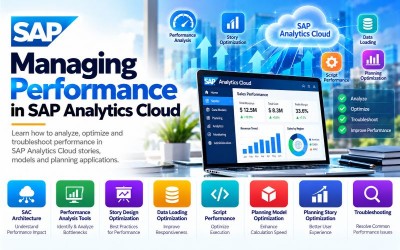
You will learn to optimize SAP Analytics Cloud architecture, stories, planning models, data loading, scripting, and performance analysis while applying enterprise performance best practices.

  • Lesson 01 00:00:00
    Module 1 Overview

    Performance is a critical success factor in SAP Analytics Cloud (SAC). Well-designed analytics solutions provide fast response times, improved user experiences, and efficient decision-making, while poorly optimized environments can lead to slow dashboards, delayed reporting, and reduced productivity.

    This module introduces the core architecture of SAP Analytics Cloud and explains how different architectural components influence overall system performance. Learners will also explore the built-in performance analysis tools that help identify bottlenecks, diagnose issues, and measure application responsiveness.

    By the end of this module, learners will understand the SAP Analytics Cloud architecture, recognize the factors that influence performance, and use SAP performance analysis tools to investigate and resolve performance issues.

    According to the official SAP Learning Journey, this module focuses on SAP Analytics Cloud architecture, understanding performance impacts, and using performance analysis tools.

    What You Will Learn

    • Understand SAP Analytics Cloud architecture.
    • Identify components affecting performance.
    • Explain performance bottlenecks.
    • Analyze application responsiveness.
    • Use SAP performance analysis tools.
    • Diagnose common performance issues.
    • Interpret performance metrics.
    • Prepare for performance optimization.

    Units in This Module

    • Unit 1.1: Introducing SAP Analytics Cloud Architecture and its Impact on Performance
    • Unit 1.2: Identifying Performance Analysis Tools
  • Lesson 02 00:00:00
    1.1 Introducing SAP Analytics Cloud Architecture and its Impact on Performance

    SAP Analytics Cloud consists of multiple architectural components that work together to deliver analytics, planning, reporting, and business intelligence capabilities. Understanding how these components interact is essential for designing high-performing analytics solutions.

    Participants will explore the SAP Analytics Cloud architecture, identify performance-sensitive components, and understand how system design, data sources, models, and network communication influence application performance.

    Key Topics

    • SAP Analytics Cloud Architecture
    • Cloud Architecture
    • Analytics Platform
    • Performance Factors
    • System Components
    • Business Intelligence
    • Cloud Services
    • Enterprise Analytics
  • Lesson 03 00:00:00
    1.2 Identifying Performance Analysis Tools

    Performance Analysis Tools help administrators, consultants, and developers measure application responsiveness, identify slow-performing components, analyze requests, and troubleshoot performance bottlenecks. Learners will understand how to use SAP Analytics Cloud performance tools to improve solution efficiency.

    Key Topics

    • Performance Analysis
    • Performance Tools
    • Performance Monitoring
    • Diagnostics
    • Response Time
    • Performance Metrics
    • Troubleshooting
    • SAP Analytics Cloud

  • Lesson 01 00:00:00
    Module 2 Overview

    Well-designed stories are essential for delivering responsive dashboards, visualizations, and analytical applications. Efficient story design reduces processing time, minimizes unnecessary data requests, and provides users with a seamless analytics experience.

    This module focuses on performance optimization techniques for SAP Analytics Cloud story design. Learners will explore best practices for story development, optimize data loading strategies, improve script performance, and troubleshoot common performance issues related to story creation.

    By the end of this module, learners will be able to design high-performance SAP Analytics Cloud stories using SAP-recommended best practices while improving overall user experience.

    According to the official SAP Learning Journey, this module covers story design, performance optimization, data loading optimization, and script performance improvements.

    What You Will Learn

    • Design efficient SAP Analytics Cloud stories.
    • Apply story performance best practices.
    • Optimize dashboards and visualizations.
    • Improve data loading performance.
    • Optimize script execution.
    • Reduce report response time.
    • Troubleshoot story performance issues.
    • Improve user experience.

    Units in This Module

    • Unit 2.1: Exploring Story Design and its Impact on Performance
    • Unit 2.2: Optimizing Performance in Story Design
    • Unit 2.3: Optimizing Performance in Data Loading
    • Unit 2.4: Optimizing Script Performance
  • Lesson 02 00:00:00
    2.1 Exploring Story Design and its Impact on Performance

    Story design directly affects application responsiveness and user experience. Learners will understand how page layouts, widgets, visualizations, filters, calculations, and data models influence overall performance and scalability.

    Key Topics

    • Story Design
    • Dashboards
    • Visualizations
    • Widgets
    • Page Layout
    • User Experience
    • Story Performance
    • SAP Analytics Cloud
  • Lesson 03 00:00:00
    2.2 Optimizing Performance in Story Design

    Optimizing story design involves minimizing unnecessary calculations, reducing rendering complexity, improving visualization efficiency, and applying SAP best practices that enhance application responsiveness.

    Key Topics

    • Story Optimization
    • Dashboard Performance
    • Visualization Optimization
    • Performance Best Practices
    • Responsive Design
    • Analytics Performance
    • Story Efficiency
    • SAP Analytics Cloud
  • Lesson 04 00:00:00
    2.3 Optimizing Performance in Data Loading

    Efficient data loading is essential for responsive analytics. Participants will learn techniques to reduce data retrieval time, optimize queries, minimize unnecessary data transfers, and improve dashboard responsiveness.

    Key Topics

    • Data Loading
    • Query Optimization
    • Data Retrieval
    • Data Processing
    • Performance Optimization
    • Analytics Efficiency
    • Data Models
    • SAP Analytics Cloud
  • Lesson 05 00:00:00
    2.4 Optimizing Script Performance

    Scripts automate calculations and business logic within SAP Analytics Cloud. Learners will understand scripting best practices that reduce execution time, improve maintainability, and increase application responsiveness.

    Key Topics

    • Script Performance
    • Performance Optimization
    • Business Logic
    • Automation
    • Script Efficiency
    • Calculations
    • Performance Tuning
    • SAP Analytics Cloud

  • Lesson 01 00:00:00
    Module 3 Overview

    Planning applications in SAP Analytics Cloud enable organizations to perform budgeting, forecasting, financial planning, workforce planning, and operational planning in a collaborative cloud environment. As planning models become larger and more complex, optimizing their performance becomes essential to ensure fast calculations, responsive user interactions, and efficient planning processes.

    This module focuses on planning performance optimization within SAP Analytics Cloud. Learners will understand the factors that influence planning performance, optimize planning models, improve planning story responsiveness, and apply SAP-recommended best practices to create scalable and high-performing planning applications.

    By the end of this module, learners will be able to optimize planning models and planning stories while minimizing performance bottlenecks and improving the overall planning experience.

    According to the official SAP Learning Journey, this module covers planning performance, planning model optimization, and planning story optimization in SAP Analytics Cloud.

    What You Will Learn

    • Understand planning performance.
    • Analyze planning performance bottlenecks.
    • Optimize planning models.
    • Improve planning story responsiveness.
    • Reduce calculation time.
    • Improve planning efficiency.
    • Troubleshoot planning performance issues.
    • Apply SAP planning best practices.

    Units in This Module

    • Unit 3.1: Exploring Planning and its Impact on Performance in SAP Analytics Cloud
    • Unit 3.2: Optimizing the Planning Model
    • Unit 3.3: Optimizing the Planning Story

  • Lesson 02 00:00:00
    3.1 Exploring Planning and its Impact on Performance in SAP Analytics Cloud

    Planning performance depends on several factors, including model design, data volume, calculations, user interactions, and planning workflows. Participants will explore how planning architecture influences responsiveness and learn techniques for identifying performance-sensitive planning activities.

    Key Topics

    • Planning Performance
    • Planning Architecture
    • Planning Workflows
    • Business Planning
    • Performance Analysis
    • Planning Applications
    • Enterprise Planning
    • SAP Analytics Cloud
  • Lesson 03 00:00:00
    3.2 Optimizing the Planning Model

    Efficient planning models improve calculation speed, reduce processing overhead, and provide better scalability for enterprise planning scenarios. Learners will apply best practices for optimizing planning models, dimensions, calculations, and data structures.

    Key Topics

    • Planning Models
    • Model Optimization
    • Dimensions
    • Data Structures
    • Planning Efficiency
    • Calculation Performance
    • Enterprise Planning
    • SAP Analytics Cloud
  • Lesson 04 00:00:00
    3.3 Optimizing the Planning Story
    Planning stories should be designed for fast user interaction, efficient calculations, and responsive dashboards. Participants will learn techniques for optimizing planning stories, reducing unnecessary processing, and improving the planning user experience.

    Key Topics

    • Planning Stories
    • Story Optimization
    • User Experience
    • Dashboard Performance
    • Responsive Planning
    • Performance Best Practices
    • Business Planning
    • SAP Analytics Cloud

  • Lesson 01 00:00:00
    Practical Exercises

    Throughout this course, learners will complete hands-on exercises using SAP Analytics Cloud (SAC) to analyze, optimize, and troubleshoot the performance of analytics and planning applications.

    Participants will perform the following practical activities:

    • Explore SAP Analytics Cloud architecture
    • Identify performance-impacting components
    • Analyze system responsiveness
    • Use SAP performance analysis tools
    • Monitor performance metrics
    • Design optimized stories
    • Improve dashboard responsiveness
    • Optimize visualizations
    • Improve data loading performance
    • Optimize queries
    • Tune script execution
    • Analyze planning performance
    • Optimize planning models
    • Improve planning stories
    • Troubleshoot common performance issues
    • Apply SAP performance best practices
    • Validate optimization results
    • Compare performance before and after optimization
    • Document optimization recommendations
    • Build a performance improvement strategy
  • Lesson 02 00:00:00
    Enterprise Capstone Project

    Optimizing Performance for an Enterprise SAP Analytics Cloud Environment

    In this capstone project, learners will optimize a fictional enterprise SAP Analytics Cloud environment supporting executive dashboards, operational reporting, and enterprise planning.

    Participants will analyze architecture, identify bottlenecks, optimize story design, improve data loading, tune scripting, optimize planning models, and validate performance improvements using SAP performance analysis tools.

    The project follows the official Managing Performance in SAP Analytics Cloud Learning Journey.

    Phase 1 – Performance Assessment

    Analyze:

    • SAP Analytics Cloud Architecture
    • System Components
    • Performance Metrics
    • Story Performance
    • Data Sources
    • User Experience
    • Planning Environment
    • Performance Bottlenecks

    Phase 2 – Story Optimization

    Optimize:

    • Story Layout
    • Visualizations
    • Widgets
    • Filters
    • Dashboard Performance
    • Data Loading
    • Query Performance
    • Story Design

    Phase 3 – Planning Optimization

    Improve:

    • Planning Models
    • Planning Stories
    • Data Structures
    • Calculations
    • Planning Workflows
    • Performance Tuning
    • User Interaction
    • Enterprise Planning

    Phase 4 – Performance Validation

    Perform:

    • Performance Testing
    • Response Time Analysis
    • Script Performance Testing
    • Data Loading Validation
    • Story Performance Review
    • Planning Validation
    • User Acceptance Testing
    • Optimization Verification

    Phase 5 – Continuous Performance Improvement

    Develop:

    • Performance Monitoring Strategy
    • Optimization Checklist
    • Performance Dashboard
    • Best Practice Documentation
    • Troubleshooting Guide
    • Governance Framework
    • Performance Review Process
    • Continuous Improvement Roadmap

    Expected Project Outcome

    Upon successful completion of this capstone project, learners will be able to:

    • Analyze SAP Analytics Cloud performance.
    • Use SAP performance analysis tools.
    • Optimize story design.
    • Improve dashboard responsiveness.
    • Optimize data loading.
    • Enhance script performance.
    • Optimize planning models.
    • Improve planning story performance.
    • Troubleshoot enterprise performance issues.
    • Apply SAP Analytics Cloud performance best practices.

Jittesh Purrohit

Lectures

14

Skill level

Intermediate

Expiry period

Lifetime

Related courses