Course description

Mastering SAP Analytics Cloud for Planning is a comprehensive enterprise training program designed for Business Analysts, Planning Consultants, Financial Planning & Analysis (FP&A) Professionals, SAP Analytics Cloud Consultants, SAP Developers, Data Analysts, Finance Managers, Controllers, Solution Architects, and Business Intelligence Professionals who want to build modern enterprise planning solutions using SAP Analytics Cloud (SAC).

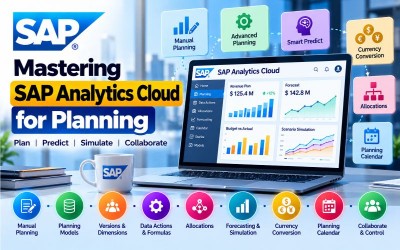
This course provides practical knowledge of Manual Planning, Planning Models, Versions, Dimensions, Planning Stories, Data Actions, Advanced Formula Data Actions, Multi Actions, Allocations, Currency Conversion, Smart Predict, Value Driver Trees, Planning Calendar, SAP Datasphere Integration, and enterprise planning workflows.

Following SAP's official Learning Journey, the course progresses from manual planning fundamentals to advanced planning automation, predictive planning, collaborative planning processes, and enterprise planning management using SAP Analytics Cloud.

Enterprise planning has evolved beyond spreadsheets into intelligent, collaborative, and real-time planning platforms. SAP Analytics Cloud (SAC) for Planning enables organizations to integrate budgeting, forecasting, financial planning, operational planning, and predictive analytics within a single cloud-based solution.

This course introduces the complete lifecycle of enterprise planning using SAP Analytics Cloud, including planning model creation, version management, dimensions, manual data entry, planning stories, planning panels, seamless planning with SAP Datasphere, data actions, advanced formulas, multi actions, allocations, currency conversion, Smart Predict, value driver trees, forecasting, simulations, and planning process management.

Throughout the course, learners will build practical planning solutions that automate business planning, improve collaboration, streamline financial planning, and support intelligent business decision-making.

By the end of this course, participants will possess the practical skills required to implement, configure, and manage enterprise planning solutions using SAP Analytics Cloud.

Who Should Attend

  • SAP Analytics Cloud Consultants
  • SAP Planning Consultants
  • Financial Planning & Analysis (FP&A) Professionals
  • Business Analysts
  • Finance Managers
  • Controllers
  • SAP Developers
  • Data Analysts
  • Business Intelligence Professionals
  • SAP Solution Architects
  • Enterprise Planning Specialists
  • Digital Transformation Consultants
  • SAP Datasphere Consultants
  • Project Managers
  • Cloud Analytics Professionals

Skills You Will Gain

  • SAP Analytics Cloud Planning
  • Manual Planning
  • Planning Models
  • Planning Stories
  • Versions
  • Dimensions
  • Data Actions
  • Advanced Formula Data Actions
  • Multi Actions
  • Planning Functions
  • Allocations
  • Currency Conversion
  • Smart Predict
  • Value Driver Trees
  • SAP Datasphere Integration
  • Planning Calendar
  • Enterprise Planning Automation

Career Opportunities

  • SAP Analytics Cloud Consultant
  • SAP Planning Consultant
  • Financial Planning Consultant
  • SAP Business Intelligence Consultant
  • FP&A Consultant
  • Planning Solution Architect
  • SAP Analytics Specialist
  • Enterprise Planning Consultant
  • SAP Cloud Consultant
  • Finance Systems Analyst
  • Business Planning Manager
  • SAP Digital Transformation Consultant
  • Budgeting & Forecasting Specialist
  • Analytics Solution Consultant
  • SAP Datasphere Consultant

These roles are in high demand across finance, manufacturing, retail, healthcare, telecommunications, logistics, energy, insurance, banking, government, and multinational enterprises implementing intelligent planning solutions.

Certification Preparation

This course is designed to support learners preparing for SAP Analytics Cloud Planning learning paths by covering the concepts included in SAP's official Learning Journey.

Participants will gain practical knowledge in:

  • Manual Planning
  • Planning Models
  • Versions & Dimensions
  • Planning Stories
  • Data Actions
  • Advanced Formula Data Actions
  • Multi Actions
  • Allocations
  • Currency Conversion
  • Smart Predict
  • Forecasting & Simulation
  • Planning Calendar
  • SAP Datasphere Integration

The course combines conceptual understanding with practical implementation exercises to prepare learners for enterprise SAP Analytics Cloud Planning projects.

What will i learn?

  • Understand SAP Analytics Cloud Planning architecture.
  • Create planning models.
  • Configure planning dimensions.
  • Manage planning versions.
  • Build planning stories.
  • Perform manual planning.
  • Create Data Actions and Multi Actions.
  • Configure allocations and currency conversion.
  • Use Smart Predict for planning.
  • Build collaborative planning workflows.

Requirements

  • Basic business planning concepts
  • Basic financial planning knowledge
  • Familiarity with SAP solutions (recommended)
  • Basic reporting and analytics knowledge
  • Computer or Laptop
  • Stable Internet Connection
  • SAP Analytics Cloud Tenant (Trial or Enterprise)
  • Modern Web Browser
  • SAP Datasphere (Recommended for integration exercises)

Frequently asked question

Yes. The course starts with manual planning fundamentals before progressing to advanced planning automation and predictive planning features.

No. Basic business planning knowledge is recommended, but the course introduces SAP Analytics Cloud Planning from the fundamentals.

Yes. The course covers creating planning models, managing dimensions, versions, and planning stories for enterprise planning scenarios.

Yes. You will learn manual planning techniques including manual input, fluid entry, and mass entry modes along with planning process phases.

Yes. You will learn Data Actions, Advanced Formula Data Actions, Multi Actions, Allocations, and Currency Conversion.

Yes. The course teaches Smart Predict, Value Driver Trees, forecasting, simulation, and predictive planning capabilities available in SAP Analytics Cloud.

Yes. You will learn seamless planning integration with SAP Datasphere to support enterprise planning and analytics workflows.

You will gain hands-on experience building planning models, configuring dimensions and versions, creating planning stories, implementing Data Actions, automating planning workflows, forecasting business data, and managing collaborative planning processes using SAP Analytics Cloud.

  • Lesson 01 00:00:00
    Module 1 Overview

    Manual Planning in SAP Analytics Cloud (SAC) provides organizations with a flexible and collaborative planning environment for budgeting, forecasting, and operational planning. It enables business users to create planning models, manage versions and dimensions, build planning stories, enter planning data using multiple input methods, and collaborate across departments to improve business decision-making.

    This module introduces the fundamentals of SAP Analytics Cloud Planning, including planning process phases, planning models, versions, dimensions, manual planning techniques, planning panels, and seamless planning integration with SAP Datasphere.

    By the end of this module, learners will be able to configure planning models, perform manual planning, manage versions, enter planning data, and create collaborative planning solutions using SAP Analytics Cloud.

    According to the SAP Learning Journey, this module covers SAP Analytics Cloud Planning, planning process phases, planning models, planning stories, versions, dimensions, manual planning, planning panels, and seamless planning with SAP Datasphere.

    What You Will Learn

    • Understand SAP Analytics Cloud Planning.
    • Explain enterprise planning process phases.
    • Create planning models.
    • Configure planning stories.
    • Manage versions and dimensions.
    • Perform manual planning.
    • Use planning panels.
    • Integrate planning with SAP Datasphere.

    Units in This Module

    • Unit 1.1: Exploring SAP Analytics Cloud for Planning
    • Unit 1.2: Working with Versions and Dimension Members
    • Unit 1.3: Performing Manual Planning
    • Unit 1.4: Using the Core Planning Features
    • Unit 1.5: Coordinating and Controlling Planning Processes
    • Unit 1.6: Performing Seamless Planning with SAP Datasphere
  • Lesson 02 00:00:00
    1.1 Exploring SAP Analytics Cloud for Planning

    SAP Analytics Cloud Planning provides a unified cloud platform for budgeting, forecasting, operational planning, and financial planning. Participants will explore the planning architecture, planning process phases, and the overall capabilities of SAP Analytics Cloud Planning.

    Key Topics

    • SAP Analytics Cloud
    • Enterprise Planning
    • Planning Architecture
    • Planning Process
    • Cloud Planning
    • Business Planning
    • Financial Planning
    • SAP Analytics
  • Lesson 03 00:00:00
    1.2 Working with Versions and Dimension Members

    Versions and dimensions form the foundation of planning models in SAP Analytics Cloud. Learners will create and manage planning versions, maintain dimension members, organize planning structures, and support collaborative business planning.

    Key Topics

    • Planning Versions
    • Dimension Members
    • Planning Dimensions
    • Version Management
    • Master Data
    • Business Dimensions
    • Planning Structures
    • SAP Analytics Cloud
  • Lesson 04 00:00:00
    1.3 Performing Manual Planning

    Manual Planning enables planners to enter, modify, and update planning data using manual input, fluid entry, and mass entry modes. Participants will learn how to capture planning information efficiently while supporting enterprise planning processes.

    Key Topics

    • Manual Planning
    • Manual Input
    • Fluid Entry
    • Mass Entry
    • Data Entry
    • Planning Tables
    • Budget Planning
    • Forecast Planning
  • Lesson 05 00:00:00
    1.4 Using the Core Planning Features

    Core planning features help users improve planning accuracy through planning tables, inverse dimension formulas, planning panels, calculations, and interactive planning capabilities.

    Key Topics

    • Planning Tables
    • Planning Panels
    • Inverse Dimension Formulas
    • Planning Functions
    • Interactive Planning
    • Data Calculations
    • Planning Features
    • SAP Analytics Cloud
  • Lesson 06 00:00:00
    1.5 Coordinating and Controlling Planning Processes

    Planning coordination enables organizations to manage planning cycles, collaborate across departments, monitor planning activities, and ensure planning tasks are completed efficiently using SAP Analytics Cloud.

    Key Topics

    • Planning Coordination
    • Process Control
    • Collaboration
    • Planning Workflow
    • Business Planning
    • Task Management
    • Planning Governance
    • Enterprise Planning
  • Lesson 07 00:00:00
    1.6 Performing Seamless Planning with SAP Datasphere

    SAP Datasphere integration enables seamless planning by connecting enterprise data sources with SAP Analytics Cloud, ensuring real-time planning, centralized data management, and improved business decision-making.

    Key Topics

    • SAP Datasphere
    • Seamless Planning
    • Cloud Integration
    • Enterprise Data
    • Data Connectivity
    • Real-Time Planning
    • SAP Analytics Cloud
    • Business Intelligence

  • Lesson 01 00:00:00
    Module 2 Overview

    Advanced planning capabilities in SAP Analytics Cloud (SAC) enable organizations to automate planning activities, improve forecasting accuracy, optimize resource allocation, and support collaborative planning across business functions. These features reduce manual effort while increasing planning efficiency through automation, predictive analytics, and intelligent planning processes.

    This module introduces advanced planning features including Data Actions, Advanced Formula Data Actions, Multi Actions, Allocations, Currency Conversion, Smart Predict, Value Driver Trees, Forecasting, Simulation, and the SAP Analytics Cloud Calendar for enterprise planning process management.

    By the end of this module, learners will be able to automate planning workflows, configure advanced planning functions, implement predictive planning, and manage collaborative planning processes using SAP Analytics Cloud.

    According to the SAP Learning Journey, this module covers advanced planning features, Data Actions, Advanced Formula Data Actions, Multi Actions, Allocations, Currency Conversion, Smart Predict, Value Driver Trees, forecasting, simulation, and the SAP Analytics Cloud Calendar.

    What You Will Learn

    • Explore advanced planning features.
    • Create and execute Data Actions.
    • Build Advanced Formula Data Actions.
    • Configure Multi Actions.
    • Allocate planning data.
    • Perform currency conversion.
    • Use Smart Predict for planning.
    • Create planning processes using the SAP Analytics Cloud Calendar.

    Units in This Module

    • Unit 2.1: Exploring Advanced Features in SAP Analytics Cloud for Planning
    • Unit 2.2: Copying Data Using Data Actions
    • Unit 2.3: Creating Advanced Formula Data Actions
    • Unit 2.4: Creating and Configuring Multi Actions
    • Unit 2.5: Allocating Planning Data
    • Unit 2.6: Converting Currencies for Planning
    • Unit 2.7: Forecasting and Simulating Planning Data
    • Unit 2.8: Using the SAP Analytics Cloud Calendar to Create a Planning Process
  • Lesson 02 00:00:00
    2.1 Exploring Advanced Features in SAP Analytics Cloud for Planning

    SAP Analytics Cloud provides advanced planning capabilities that extend beyond manual planning through automation, predictive analytics, workflow orchestration, and intelligent planning tools. Participants will explore these capabilities and understand how they improve enterprise planning efficiency.

    Key Topics

    • Advanced Planning
    • SAP Analytics Cloud
    • Planning Automation
    • Intelligent Planning
    • Predictive Planning
    • Enterprise Planning
    • Business Planning
    • Cloud Analytics
  • Lesson 03 00:00:00
    2.2 Copying Data Using Data Actions

    Data Actions automate repetitive planning tasks by copying, updating, and transforming planning data across models and versions. Learners will configure and execute Data Actions to streamline planning processes and improve data consistency.

    Key Topics

    • Data Actions
    • Data Copy
    • Planning Automation
    • Version Management
    • Data Processing
    • Planning Models
    • Business Planning
    • SAP Analytics Cloud
  • Lesson 04 00:00:00
    2.3 Creating Advanced Formula Data Actions

    Advanced Formula Data Actions enable planners to perform complex calculations, business rules, and planning logic using scripting capabilities within SAP Analytics Cloud. Participants will build reusable planning formulas for enterprise scenarios.

    Key Topics

    • Advanced Formula Data Actions
    • Planning Formulas
    • Business Rules
    • Planning Logic
    • Script-Based Planning
    • Data Calculations
    • Automation
    • SAP Analytics Cloud
  • Lesson 05 00:00:00
    2.4 Creating and Configuring Multi Actions

    Multi Actions allow multiple planning tasks to be combined into a single automated workflow. Learners will configure sequential planning processes that execute multiple Data Actions and planning functions with minimal manual intervention.

    Key Topics

    • Multi Actions
    • Workflow Automation
    • Planning Process
    • Task Sequencing
    • Planning Automation
    • Enterprise Workflow
    • Data Actions
    • SAP Analytics Cloud
  • Lesson 06 00:00:00
    2.5 Allocating Planning Data

    Allocations distribute planning values across departments, business units, products, or cost centers based on predefined allocation rules. Participants will configure allocation processes to support financial and operational planning.

    Key Topics

    • Planning Allocation
    • Cost Allocation
    • Financial Planning
    • Allocation Rules
    • Budget Distribution
    • Enterprise Planning
    • Planning Models
    • SAP Analytics Cloud
  • Lesson 07 00:00:00
    2.6 Converting Currencies for Planning

    Currency Conversion enables multinational organizations to perform planning using multiple currencies while maintaining consistent financial reporting across regions. Learners will configure exchange rates and currency conversion processes within planning models.

    Key Topics

    • Currency Conversion
    • Exchange Rates
    • Financial Planning
    • Global Planning
    • Multi-Currency Planning
    • Enterprise Finance
    • SAP Analytics Cloud
    • International Reporting
  • Lesson 08 00:00:00
    2.7 Forecasting and Simulating Planning Data

    Forecasting and simulation capabilities help organizations predict future business performance, evaluate planning scenarios, and make data-driven decisions. Participants will use Smart Predict and simulation tools to generate business forecasts.

    Key Topics

    • Smart Predict
    • Forecasting
    • Simulation
    • Predictive Planning
    • Value Driver Trees
    • Scenario Analysis
    • Business Forecasting
    • SAP Analytics Cloud
  • Lesson 09 00:00:00
    2.8 Using the SAP Analytics Cloud Calendar to Create a Planning Process

    The SAP Analytics Cloud Calendar enables organizations to organize, schedule, assign, monitor, and manage planning activities across teams. Learners will create collaborative planning workflows and control enterprise planning processes using the planning calendar.

    Key Topics

    • SAP Analytics Cloud Calendar
    • Planning Calendar
    • Planning Workflow
    • Process Management
    • Collaboration
    • Task Assignment
    • Enterprise Planning
    • Process Control

  • Lesson 01 00:00:00
    Practical Exercises

    Throughout this course, learners will complete practical, real-world planning exercises using SAP Analytics Cloud for Planning to build enterprise planning, budgeting, forecasting, and collaborative planning solutions.

    Participants will perform the following practical activities:

    • Configure SAP Analytics Cloud Planning
    • Create Planning Models
    • Configure Dimensions and Dimension Members
    • Create and manage Planning Versions
    • Build Planning Stories
    • Perform Manual Planning
    • Use Manual Input, Fluid Entry, and Mass Entry
    • Configure Planning Tables
    • Create Inverse Dimension Formulas
    • Use Planning Panels
    • Integrate SAP Datasphere with Planning
    • Create Data Actions
    • Develop Advanced Formula Data Actions
    • Configure Multi Actions
    • Automate Planning Workflows
    • Configure Allocation Rules
    • Perform Currency Conversion
    • Configure Smart Predict
    • Build Value Driver Trees
    • Perform Forecasting and Business Simulations
    • Create Planning Calendar Tasks
    • Manage Collaborative Planning Processes
    • Optimize Enterprise Planning Workflows
  • Lesson 02 00:00:00
    Enterprise Implementation Project

    Building an Enterprise Planning Solution Using SAP Analytics Cloud

    In this capstone project, learners will design and implement a complete enterprise planning solution using SAP Analytics Cloud for Planning.

    Participants will create planning models, manage dimensions and versions, perform manual planning, automate planning workflows using Data Actions and Multi Actions, configure allocations, perform currency conversions, implement predictive planning with Smart Predict, and manage collaborative planning using the SAP Analytics Cloud Calendar.

    The implementation project follows the complete SAP Learning Journey for Mastering SAP Analytics Cloud for Planning.

    Phase 1 – Planning Foundation

    Configure:

    • SAP Analytics Cloud Planning Environment
    • Planning Models
    • Planning Stories
    • Planning Dimensions
    • Version Management
    • Enterprise Planning Structure
    • User Access
    • Planning Workspace

    Phase 2 – Manual Planning

    Implement:

    • Manual Planning
    • Manual Input
    • Fluid Entry
    • Mass Entry
    • Planning Tables
    • Dimension Management
    • Planning Panels
    • SAP Datasphere Integration

    Phase 3 – Advanced Planning Automation

    Build:

    • Data Actions
    • Advanced Formula Data Actions
    • Multi Actions
    • Automated Planning Processes
    • Planning Logic
    • Workflow Automation
    • Business Rules
    • Process Optimization

    Phase 4 – Enterprise Planning Intelligence

    Configure:

    • Allocation Rules
    • Currency Conversion
    • Smart Predict
    • Value Driver Trees
    • Forecasting
    • Simulation Models
    • Predictive Planning
    • Scenario Analysis

    Phase 5 – Collaborative Planning Management

    Develop:

    • SAP Analytics Cloud Calendar
    • Planning Process Workflows
    • Task Assignment
    • Process Monitoring
    • Collaboration
    • Approval Processes
    • Enterprise Planning Governance
    • End-to-End Planning Solution

    Expected Project Outcome

    Upon successful completion of this implementation project, learners will be able to:

    • Configure SAP Analytics Cloud Planning.
    • Create enterprise planning models.
    • Manage planning versions and dimensions.
    • Perform manual planning and budgeting.
    • Build Data Actions and Multi Actions.
    • Automate planning workflows.
    • Configure allocations and currency conversion.
    • Implement Smart Predict and forecasting.
    • Create collaborative planning processes.
    • Deliver enterprise-grade planning solutions using SAP Analytics Cloud.

Jittesh Purrohit

Lectures

18

Skill level

Intermediate

Expiry period

Lifetime

Related courses